How To Restore Your Crypto Wallet Using a Mnemonic Phrase

Guarda Wallet offers a secure and user-friendly way to restore your crypto wallet using a mnemonic phrase. This method ensures that you can seamlessly access, manage, send, purchase, and swap your cryptocurrencies without hassle. Your mnemonic phrase stays encrypted in your browser’s local storage and is never shared with third parties.

Why use Import Mnemonic?

  • Full control over your crypto assets

  • No third-party custody of your keys

  • Secure encryption of sensitive data

  • Quick and easy wallet restoration

Step-by-Step Guide to How Import Your Wallet via Mnemonic on Guarda

1️⃣ Go to the Import Page

Open https://guarda.com/app/restore

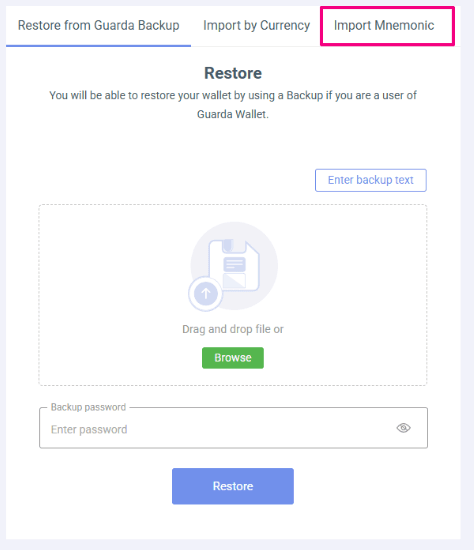
2️⃣ Select the Import Mnemonic Tab

Choose the Import Mnemonic option at the top of the page.
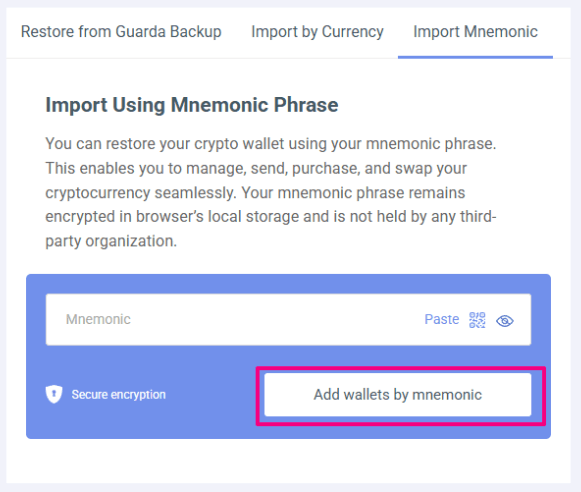
3️⃣ Enter Your Mnemonic Phrase

Paste your mnemonic phrase into the input field and click Add wallets by mnemonic.
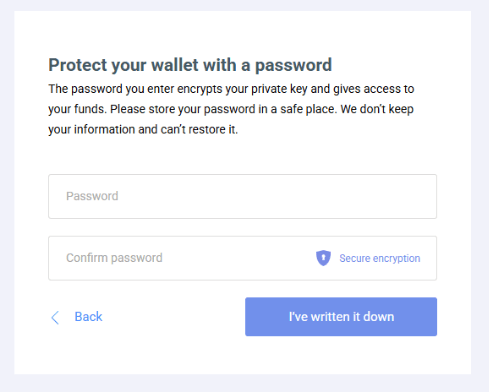
4️⃣ Set a Strong Password

Create a secure password. This password encrypts your backup file and protects your funds. Guarda does not store your password—so make sure to save it securely!
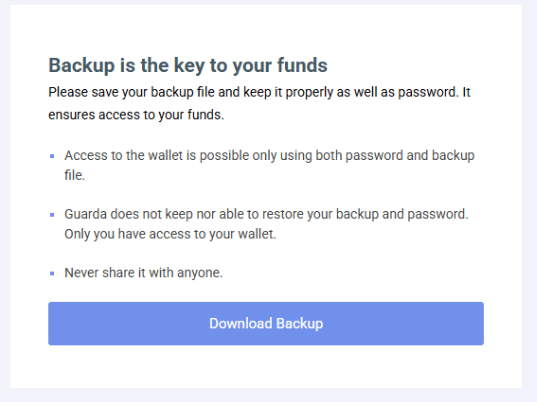
5️⃣ Save Your Backup

Once your wallet is restored, save the backup file generated by Guarda. This backup file allows you to recover your wallet in the future if needed.
⚠️ Important Security Tips

✅ Always store your mnemonic phrase and password in a safe, offline location.

✅ Never share your mnemonic phrase, backup file, or password with anyone.

✅ Guarda does not keep your password or keys — you are in full control of your funds.

Buy Crypto

Visa
MasterCard
SEPA

Safe and Simple way to get crypto with debit/credit card or a SEPA transfer directly in your wallet.

Buy Crypto
Buy Now

Share article

Stay in Touch

Subscribe to Newsletter

We send a brief email usually once every two weeks with news, giveaways, and updates. We'll never share your address with any third party.

We will only use your email to deliver news and updates. For more information, please see our Privacy Policy.

Explore all the latest Articles