🌐 What is “Gas Free Tron”?
“Gas Free Tron” or “TRX Free Transactions” allows you to make transactions on the Tron blockchain without paying any TRX & lower fees. That means no TRX required to cover bandwidth or energy costs — we’ve got you covered.
Stay turned with the latest news and updates by joining us on Twitter.
— @GuardaWallet
✅ GF Wallet Activation Instructions:
1. Select Your USDT Wallet (TRON Network)
Begin by selecting your existing USDT wallet operating on the TRON (TRC20) network.

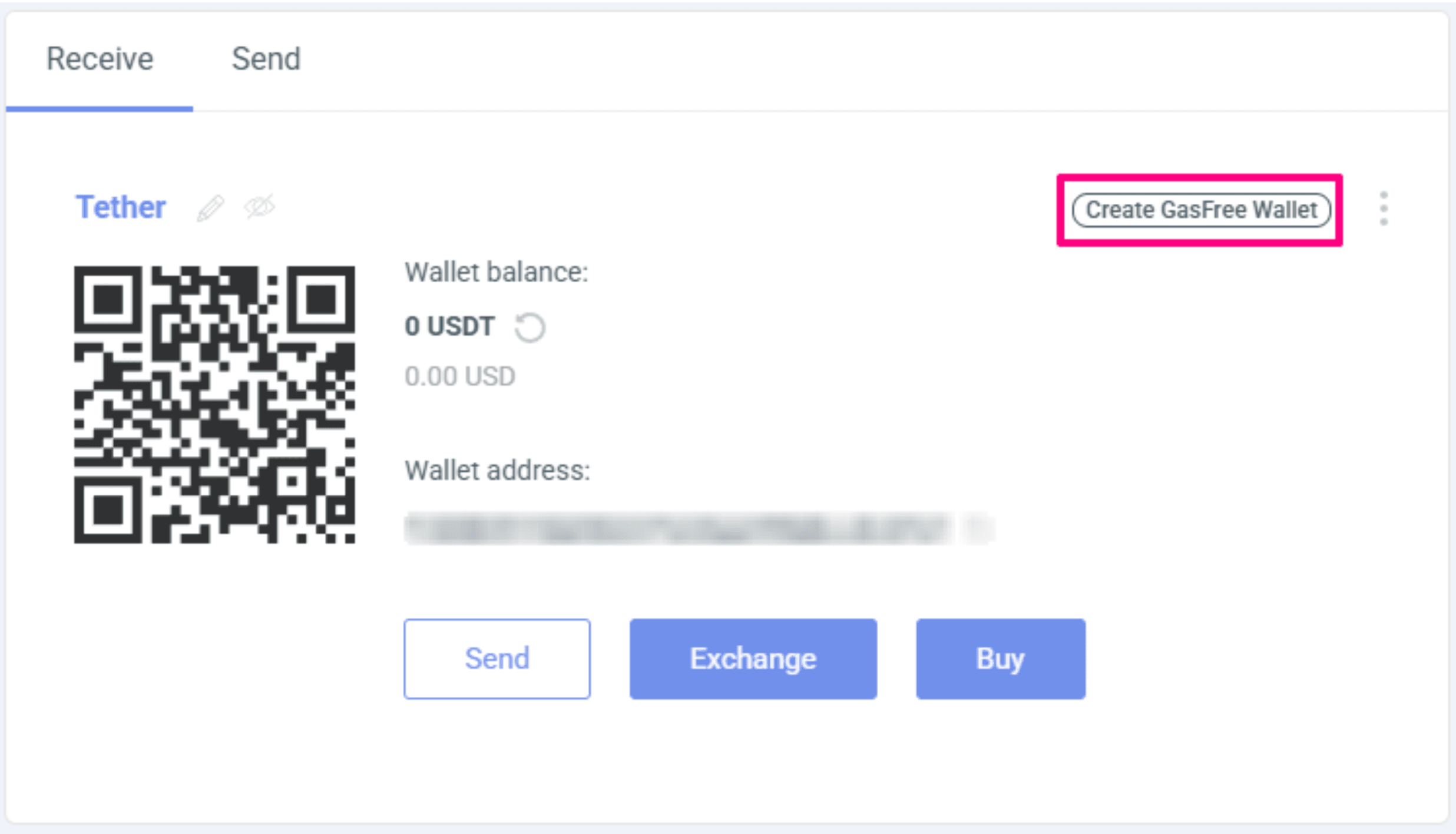
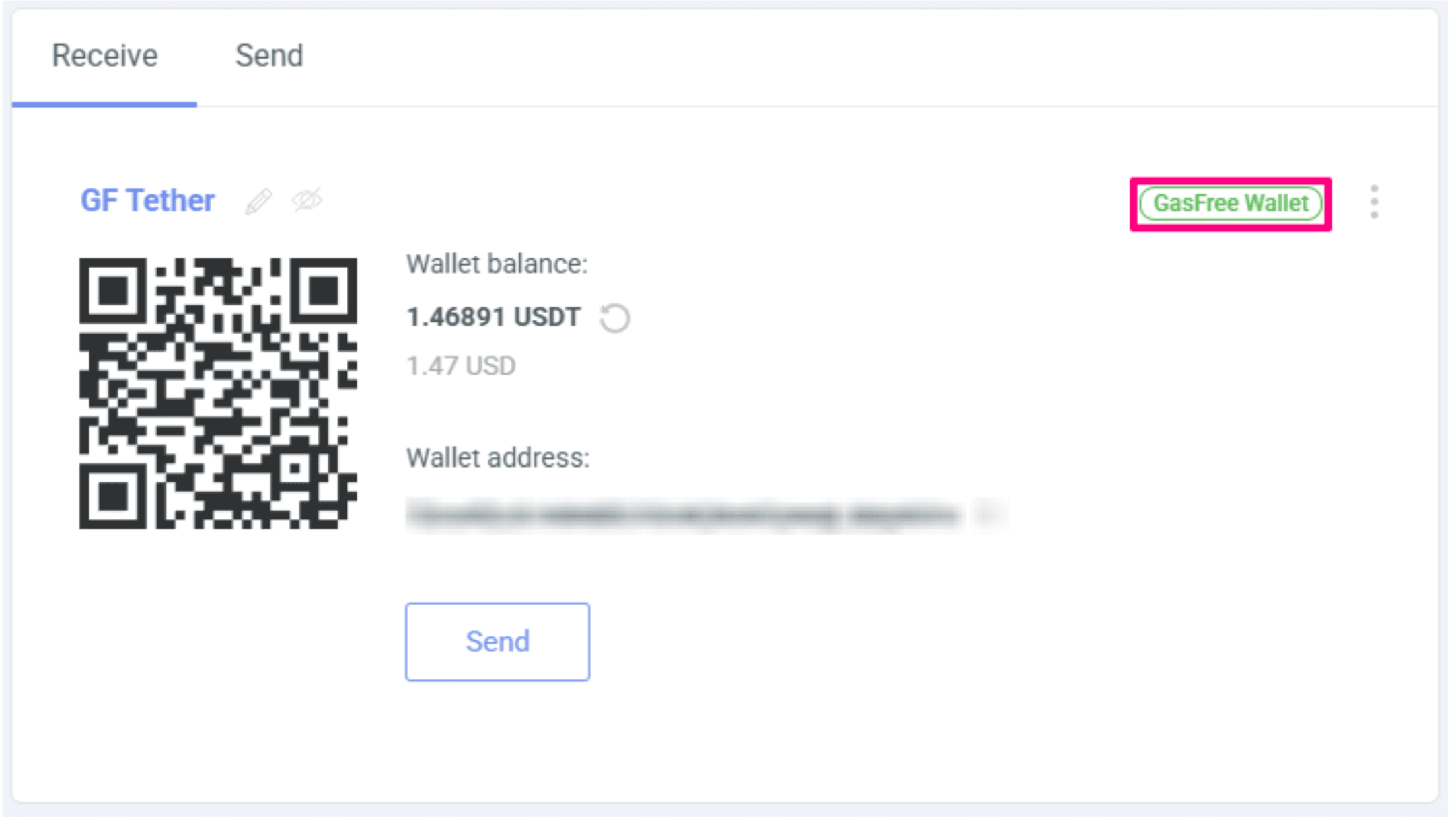
2. Create a GF Wallet
Click the “Create GF Wallet” button. This action will generate a new, associated GF wallet with a unique address. In the case of a completely new GF installation or backup, this wallet is created automatically.
3. Fund the GF Wallet with a Minimum of 3 USDT
Transfer no less than 3 USDT to the newly created GF wallet address:
- 1 USDT will be used as a one-time activation fee
- 1 USDT will serve as the minimum transaction fee
- The remaining 1+ USDT will be available for future transactions
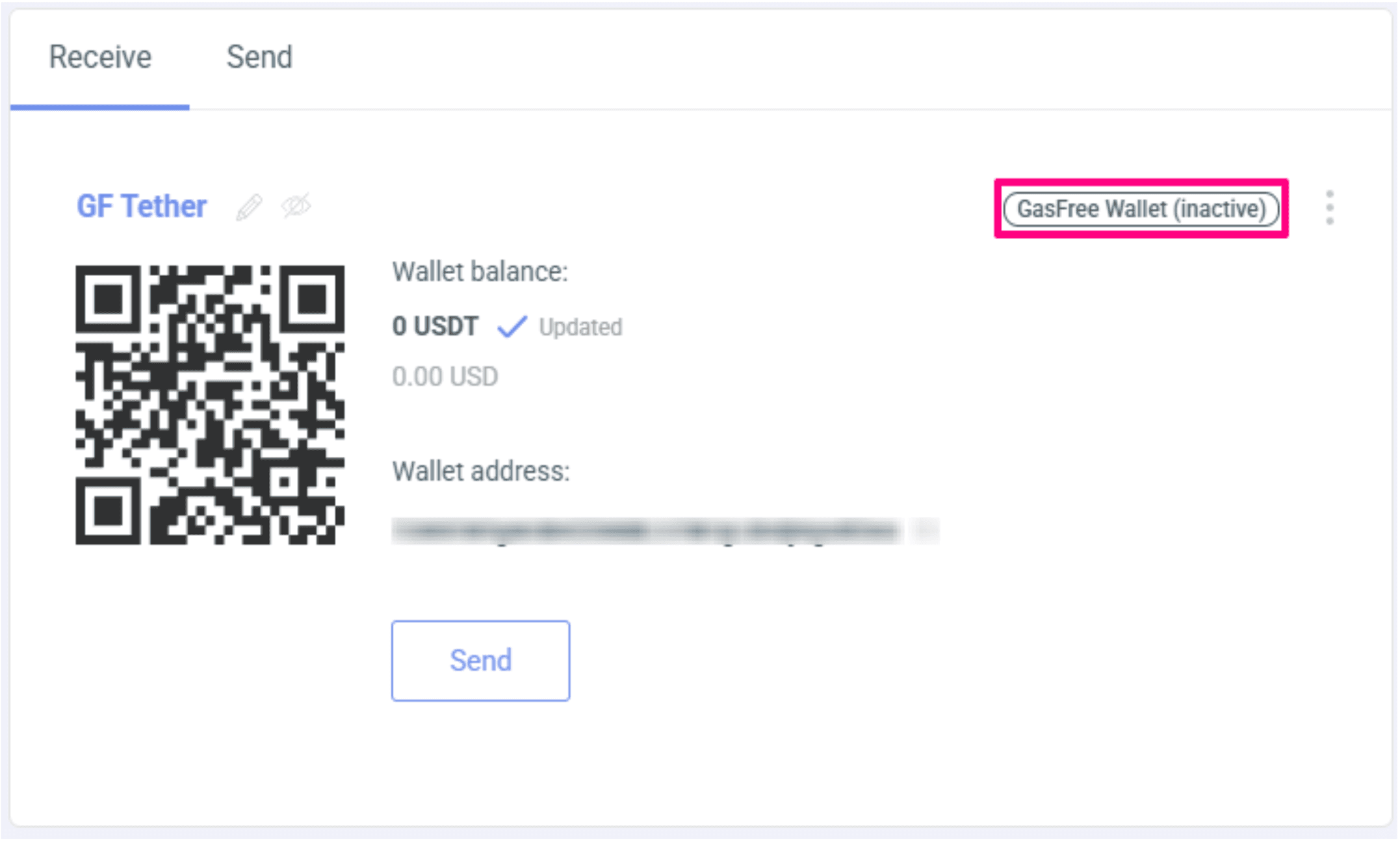
4. Complete Wallet Activation
To finalize the activation process, you must initiate and complete the first outgoing transaction from your GF wallet.
💡 Why Use Gas Free Tron with Guarda?
✅ No TRX Needed for Fees
Send USDT with a zero TRX balance.
✅ Fast & Secure
Benefit from Tron’s high-speed blockchain with zero-cost transfers.
✅ Early Access Perk
Guarda Wallet is among the first to support TRX free USDT transactions, giving you an edge over traditional wallets.
🔐 Supported Tokens:
USDT (Tether on Tron)
Enjoy seamless, gas-free transactions on the Tron network today — only in Guarda Wallet(Web & Desktop).